Streamlining Automation: Introducing the New Visual Flow Builder on AIWooChat Pro
In the world of AI-driven customer engagement, the difference between a "good" bot and a "great" user experience often comes down to logic. How does the conversation flow? How do we handle complex user requests? And most importantly, how do we make building these paths easy for everyone?
Today, we are thrilled to announce a major upgrade to AI WooCha Pro: the launch of our Visual Flow Builder.
This new feature isn't just a technical update; it’s a game-changer for businesses looking to automate their workflows without writing a single line of code.
What is the AI WooCha Pro Flow Builder?
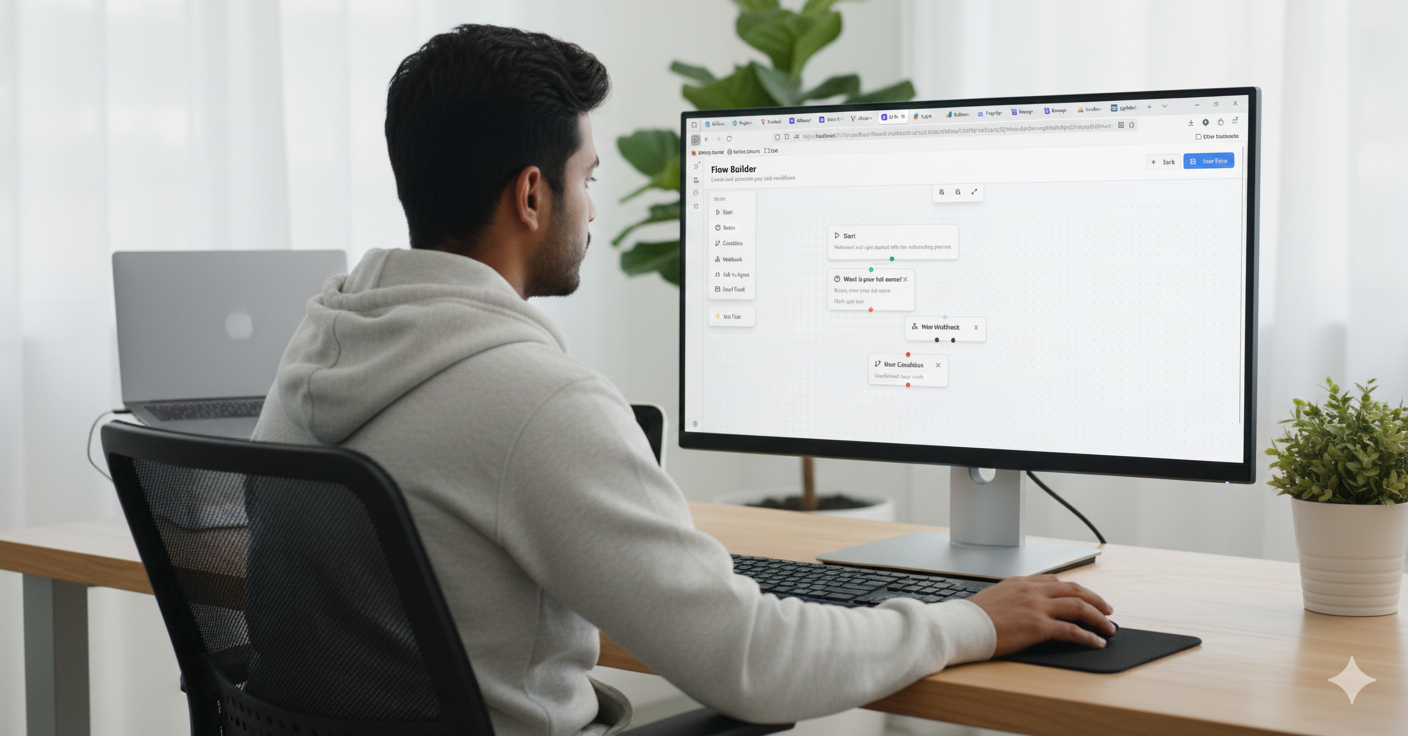
The Flow Builder is a drag-and-drop canvas that allows you to map out your customer’s journey visually. Think of it as the "brain" of your automation. Instead of navigating through complex menus, you can now see exactly how your AI assistant interacts with your users—from the very first "Start" node to final integrations like webhooks and conditional logic.
Key Components of the Flow Builder:
- Start Nodes: The entry point for your automated onboarding or support process.
- Basics (Input Blocks): Easily collect data like names, emails, or phone numbers (as seen in the "What is your full name?" block above).
- Conditional Logic: The powerhouse of the builder. Use "New Condition" nodes to branch the conversation based on user intent or specific data points.
- Webhooks & Integrations: Connect your flow to external CRM systems, databases, or third-party apps in real-time.
- Talk to Agent: A seamless handoff feature that ensures your customers get human help exactly when they need it.
Why Use a Visual Flow Builder?
1. No-Code Simplicity
You don’t need to be a developer to build advanced AI workflows. If you can draw a map, you can build a flow. Our intuitive interface allows marketing and support teams to deploy bots in minutes, not days.
2. Real-Time Visualization
Seeing is believing. The visual canvas allows you to spot "dead ends" in your customer journey and optimize the path to conversion. With the zoom and pan tools, you can manage everything from simple FAQs to massive enterprise-level automation.
3. Smarter Customer Onboarding
First impressions matter. By using our "Start" and "Basics" blocks, you can create a welcoming, interactive onboarding process that feels personal and efficient.
4. Advanced Logic for Personalization
With the "New Condition" node, your AI becomes more than a script; it becomes a thinker. You can set rules to offer different solutions based on a customer's VIP status, their specific problem, or even their location.
How to Get Started
Setting up your first flow on AI WooCha Pro is easy:
- Log in to your AI WooCha Pro dashboard.
- Navigate to the Flow Builder tab.
- Drag and drop blocks from the left-hand sidebar onto the canvas.
- Connect the dots to define the sequence.
- Click "Test Flow" to see your automation in action before going live!
Boost Your Productivity Today
Automation shouldn't be a headache. With the new Flow Builder, AI WooCha Pro empowers you to take control of your digital interactions, reduce support tickets, and increase lead conversion through smart, visual design.
Ready to build your first flow? Visit AIWooChaPro.com and start automating for free!